An online LSAT prep platform
2023 - LSAT Demon
Product Context:
LSAT Demon is an online LSAT prep platform for people preparing for the LSAT, the admissions test for law school in the US. It was created by the hosts of the Thinking LSAT podcast. Their positioning is that LSAT prep should be based on understanding and reasoning, not tricks or heavy diagramming. In product terms, it is a B2C / edtech SaaS product for high-stakes test preparation.
It involves:
dense educational content
adaptive learning logic
student dashboards
drilling / practice workflows
cross-platform web + mobile UX
simplifying complex reasoning tasks into usable learning flows
My Contributions:
Worked as an embedded product designer partner for LSAT Demon contributing to a mature LSAT learning platform with dense educational content, adaptive study logic, and complex cross-device student workflows.
Partnered closely with the founder and content creator to translate expert teaching models into clear product structures, helping bridge educational strategy, student behavior, and interface design.
Designed core logged-in experiences across web and mobile, including student dashboard, lesson flows, and drilling interactions, with a focus on clarity, consistency, and learning momentum.
Helped shape ambiguous product problems into coherent design directions by clarifying user flows, interaction models, information hierarchy, and reusable UX patterns.
Contributed to a high-maturity product environment where the design mandate was strategic refinement: improving coherence, usability, and visual quality in an already strong platform.
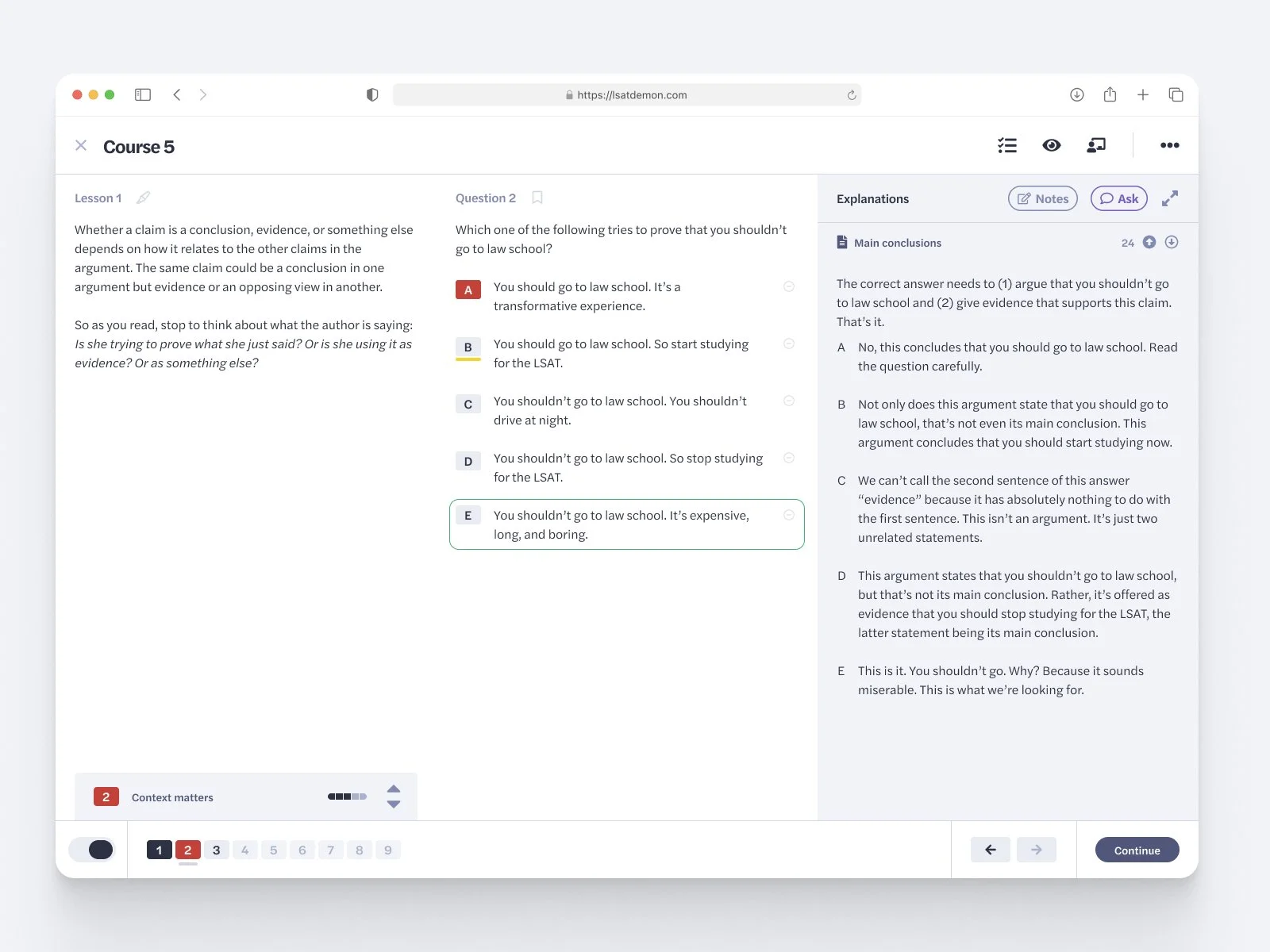
A screenshot of the complex lessons experience I was working on
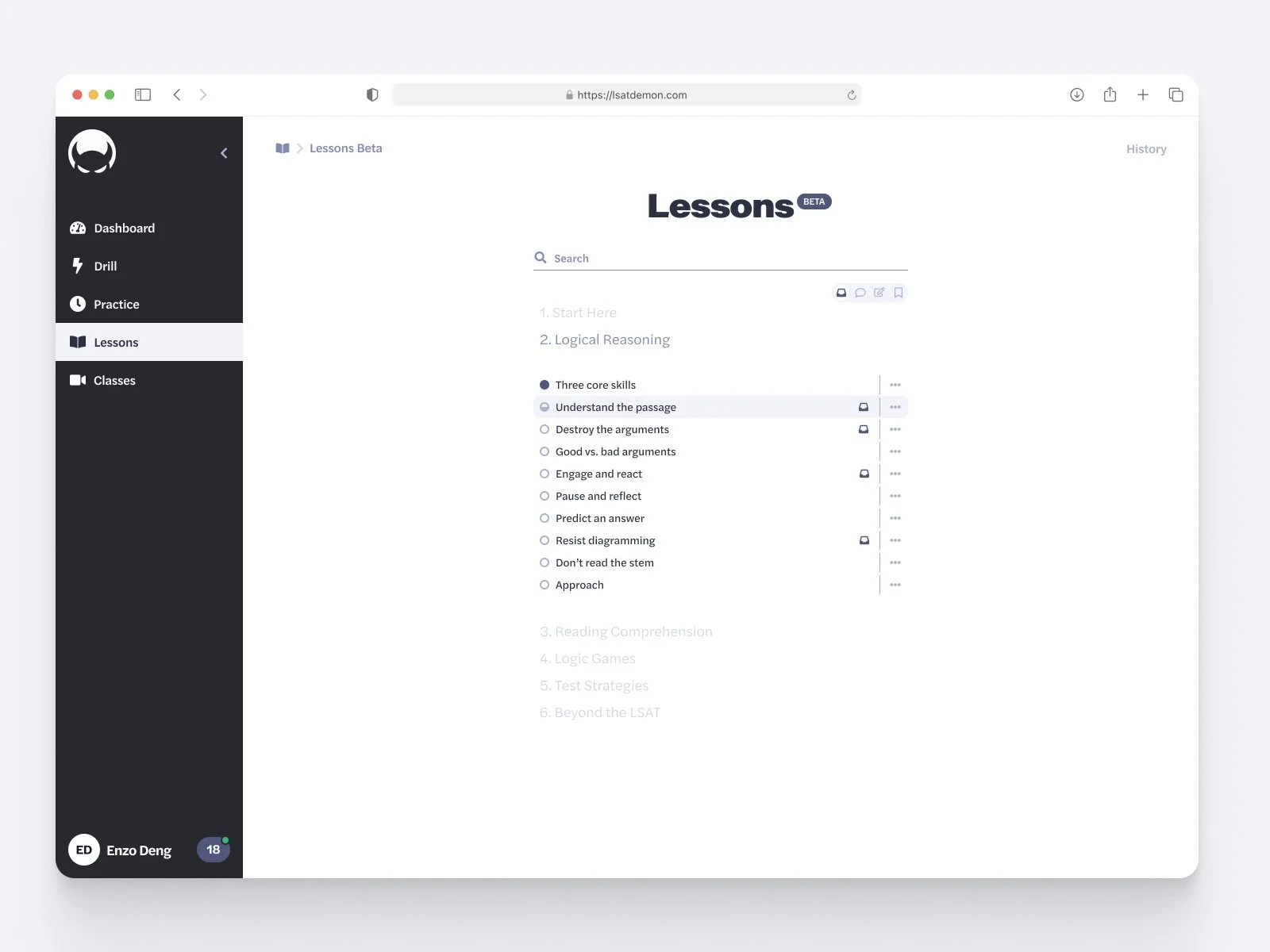
A screenshot of the lessons overview. We focused on making the experience simpler and clearer while still showing all the information students need.
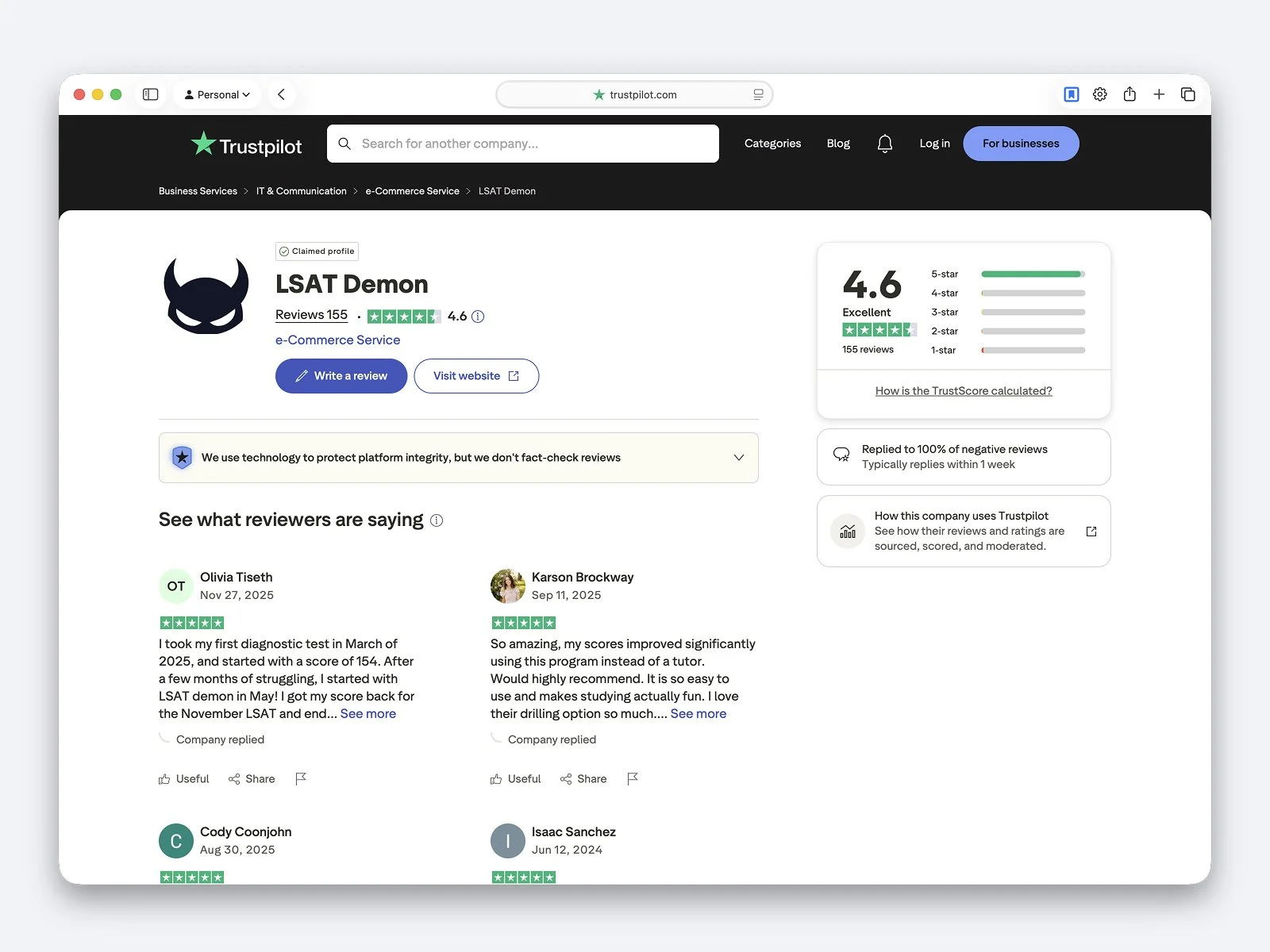
LSAT Demon already had a strong market position and a loyal user base. Every design change had to be careful and discreet: improving the experience for existing users without disrupting the product they already trusted.
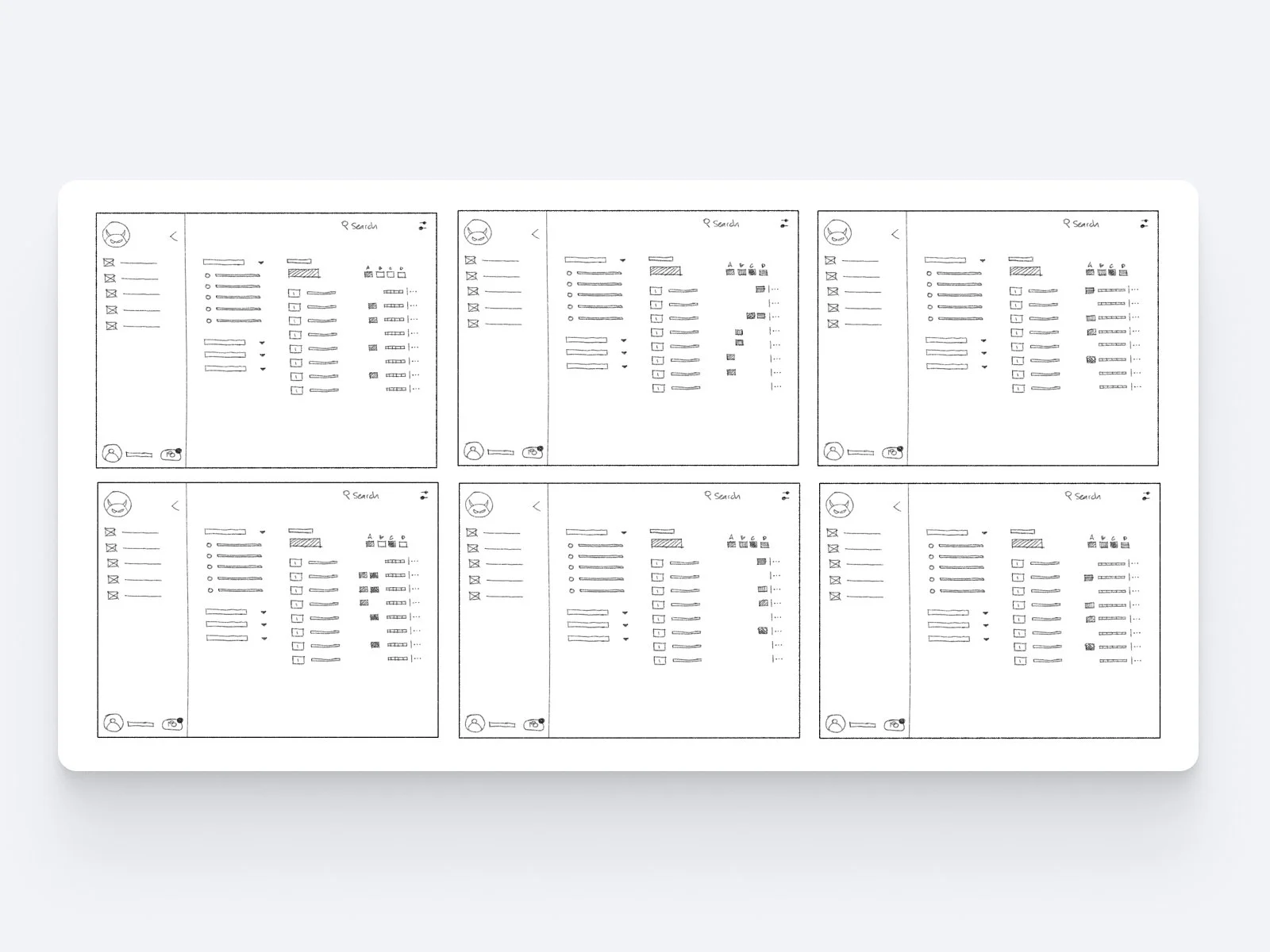
I explored multiple directions for each screen before moving into detailed design. I began with quick hand sketches to make ideas tangible, compare trade-offs with stakeholders, and decide which concepts were worth prototyping or refining further.
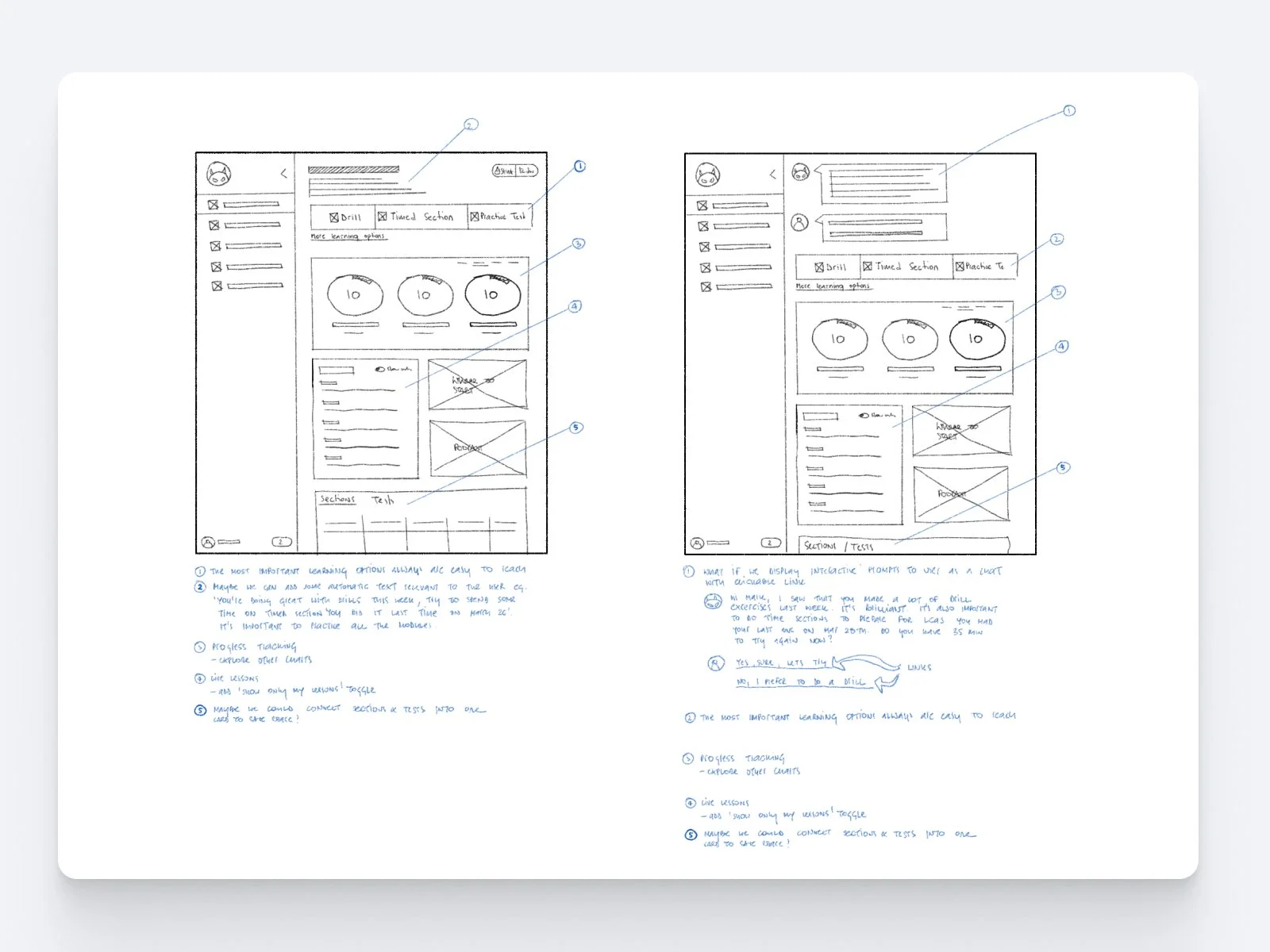
Sketching was especially useful at the earliest stages of screen design. It gave us a fast, low-cost way to explore multiple starting points, discuss ideas, identify trade-offs, and decide which directions were strong enough to move into prototyping or detailed design.
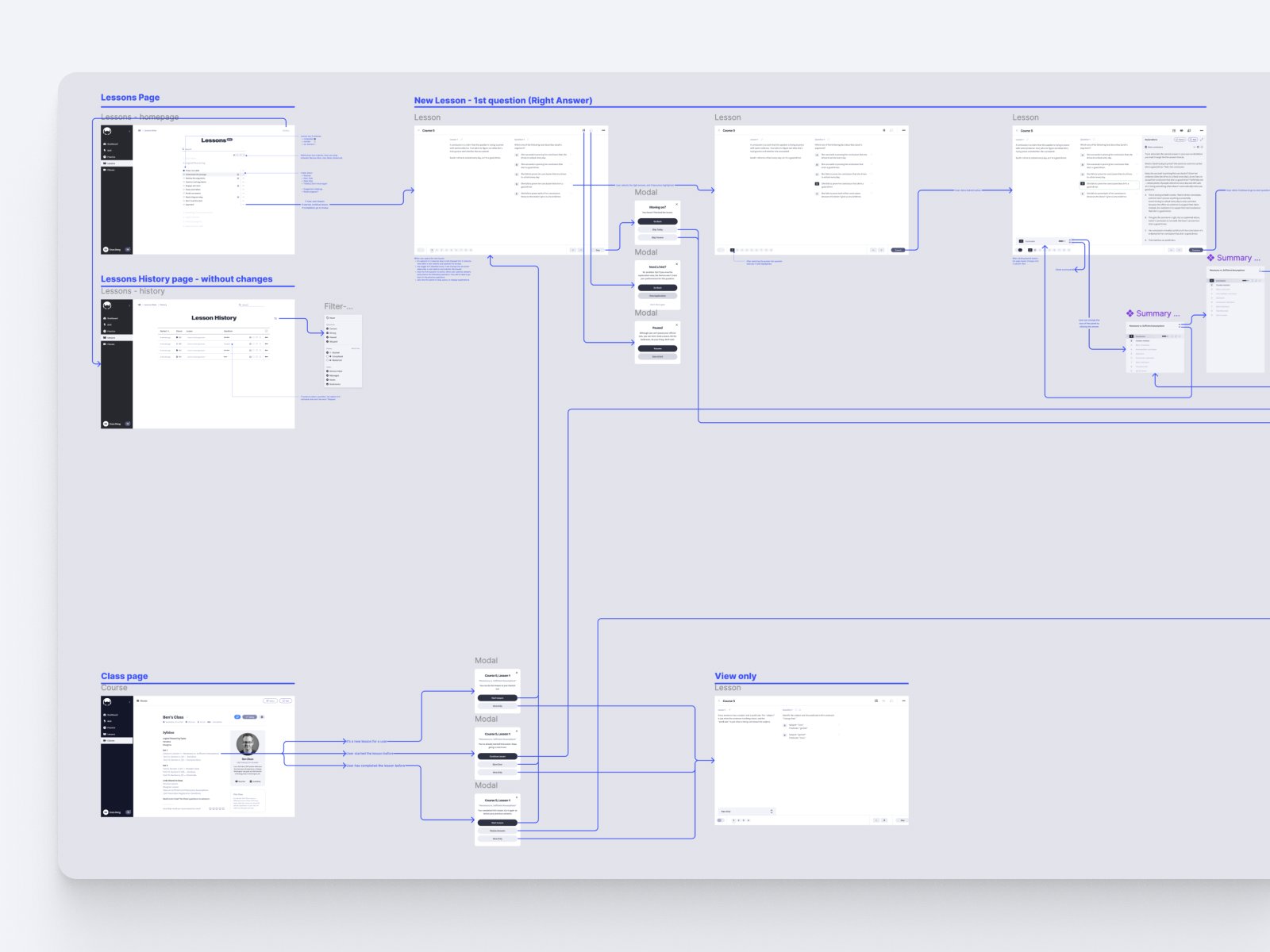
Fragment of a detailed user flow showing how early concepts were translated into a more structured product experience. It helped clarify the sequence of user decisions, edge cases, and system responses before moving into high-fidelity design.
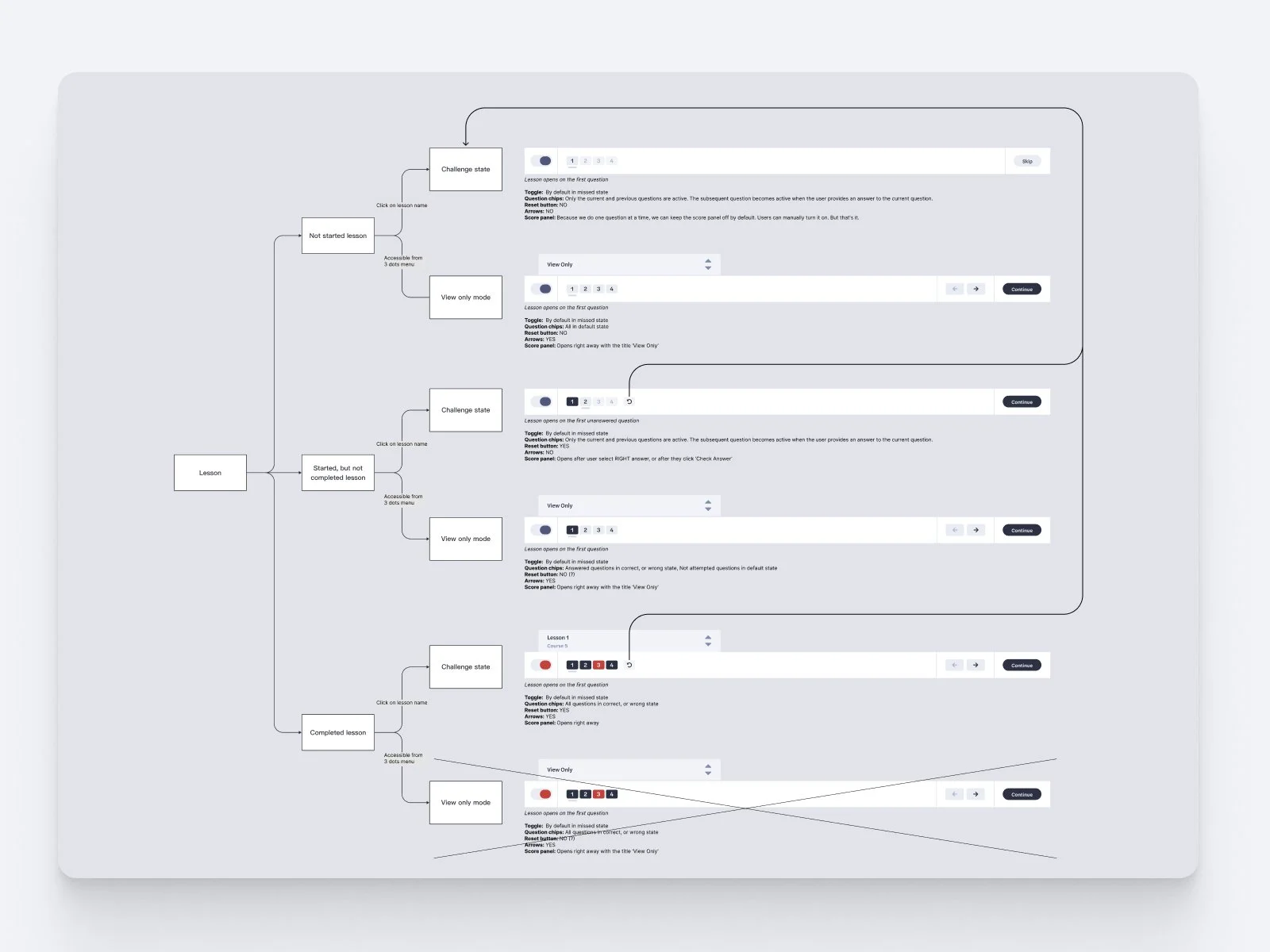
Diagram showing different stages of the same component across the user flow. Each component needed to adapt to the user’s current position, available actions, edge cases, and timing, so we mapped when each state should appear and how it should behave.
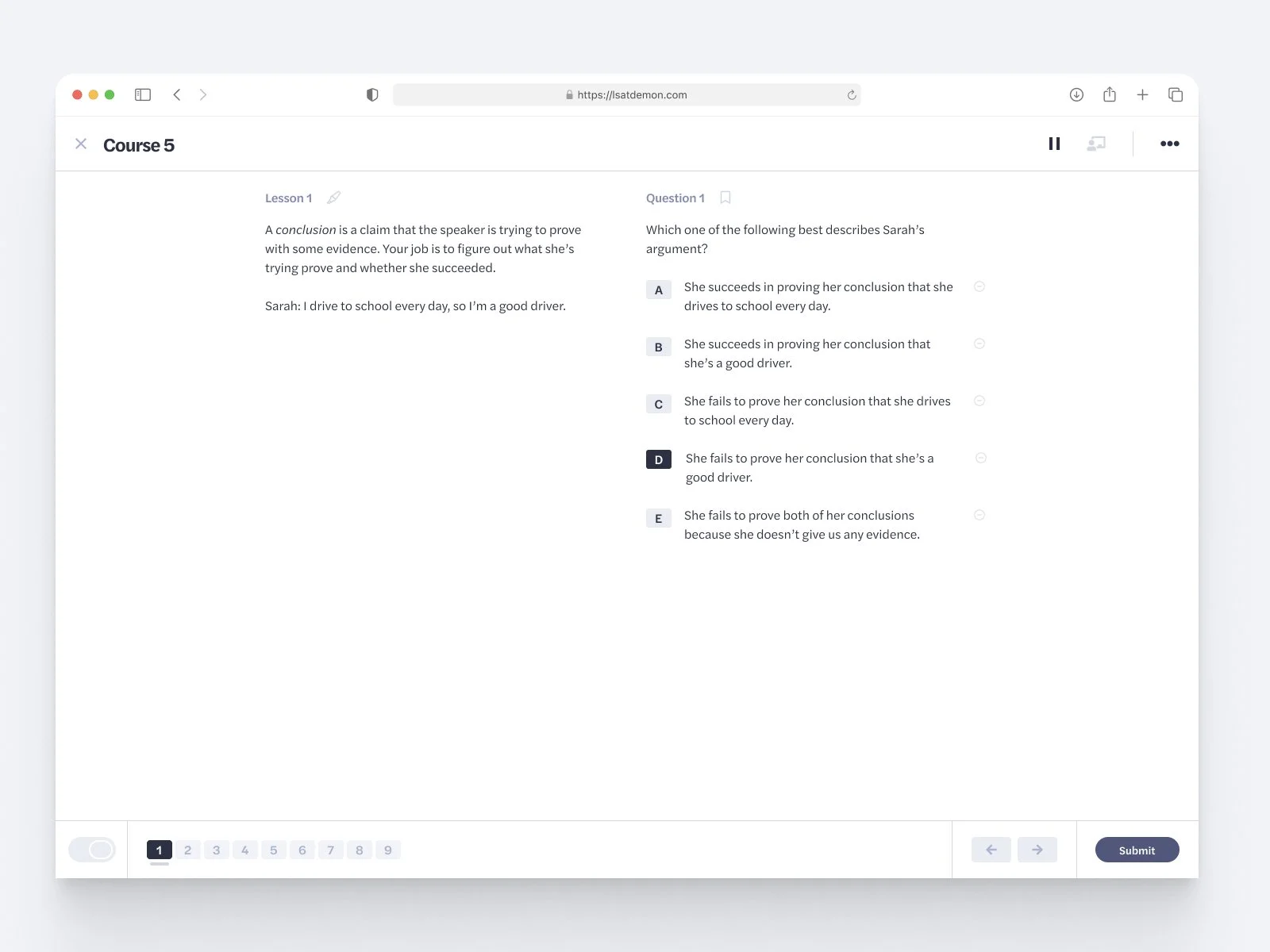
Screenshot of the lesson flow
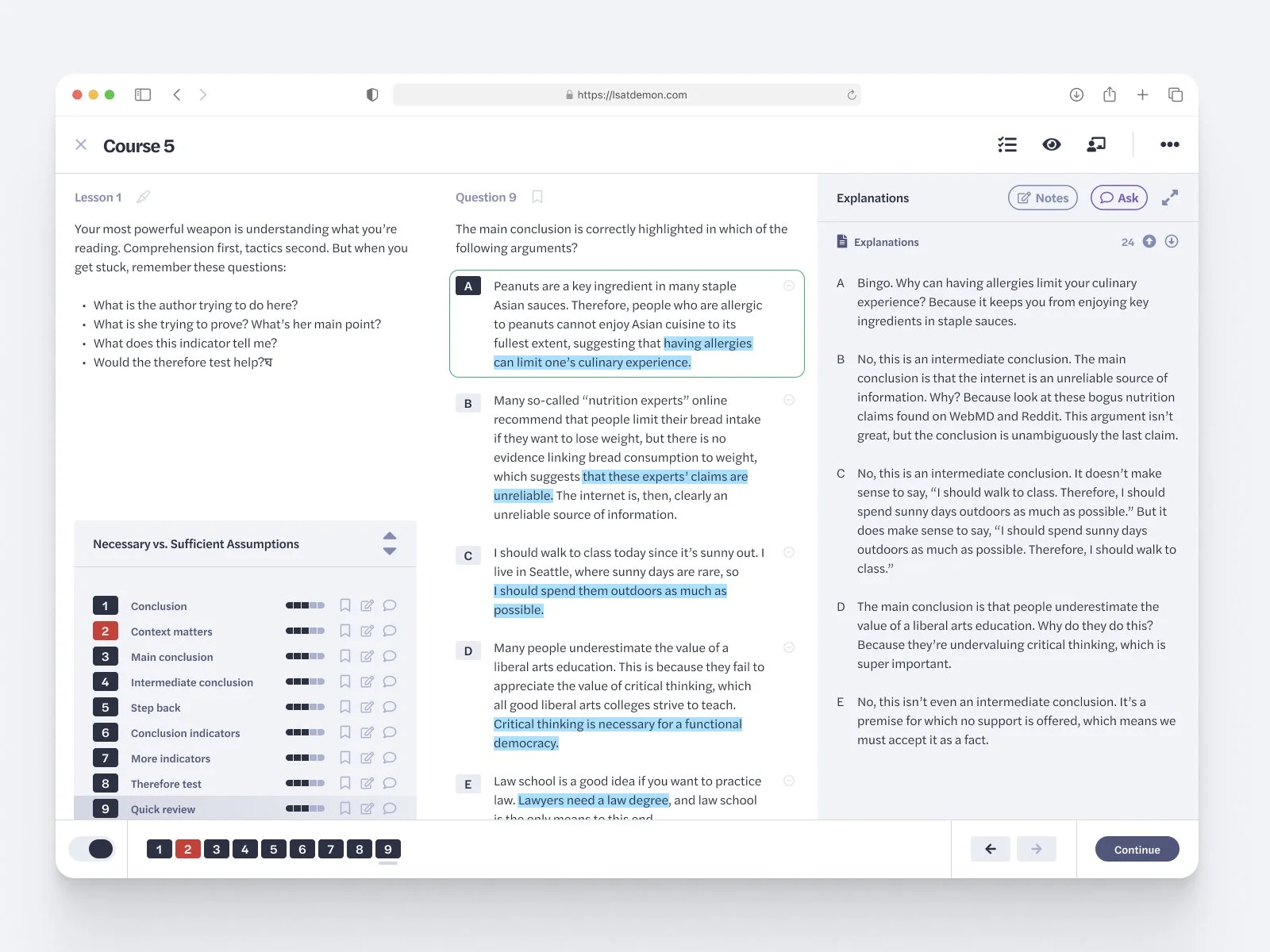
Screenshot of a complex lesson-flow state showing how the interface handled multiple learning conditions at once. This view show how content, progress, feedback, and available actions adapt depending on the user’s position in the lesson.